This is the multi-page printable view of this section. Click here to print.
Get started
- 1: Functions
- 2: Notebooks
- 2.1: Model deployment
1 - Functions
TODO: add missing pages, Getting Started guide could serve more as a step-by-step instruction manual on how to use the platform from the UI, enriched with full screenshots and videos to illustrate each action.
2 - Notebooks
2.1 - Model deployment
Experiments
An experiment is a container that groups related training activities together.
- It represents a logical project or task (e.g., “Wine Quality Prediction”).
- All runs associated with the same experiment share a common context.
- Experiments make it easier to compare different approaches, hyperparameters, or algorithms under one umbrella.
Think of an experiment as a folder that holds all the attempts and results for a specific
Expiriment runs
An experiment run is a single execution of a training process.
- Each run records metadata such as parameters, metrics, and artifacts.
- Runs are uniquely identified, allowing you to revisit or reproduce them later.
- Multiple runs can be executed under the same experiment to test variations (e.g., different learning rates or model architectures).
Runs provide the detailed history of what was tried, how it performed, and what outputs were generated.
Logged models
A logged model is the saved version of a trained model produced during a run.
- It includes the model itself along with metadata such as its input/output signature.
- Logged models can be stored, versioned, and later deployed into production.
- By keeping models tied to their runs, you can trace back exactly how and why a model was created.
This ensures reproducibility and makes it possible to manage multiple versions of models across experiments.
Model Deployments
Once a model has been logged during an experiment run, it can be deployed directly from the platform.
Deployment is designed to be simple and automated:
- Model selection: Choose the logged model you want to deploy from the experiment history.
- Automatic format detection: The platform inspects the model artifact and automatically determines its format (e.g., scikit-learn, TensorFlow, PyTorch).
- Seamless deployment: The model is packaged and served on the platform without requiring manual configuration.
- Customization options:
- Instance size - Select the compute resources that best fit your workload.
- Name - Provide a clear identifier for the deployed service.
- Description - Add context or notes about the deployment for easier management.
This process ensures that models move smoothly from experimentation to production, with minimal effort and maximum transparency.
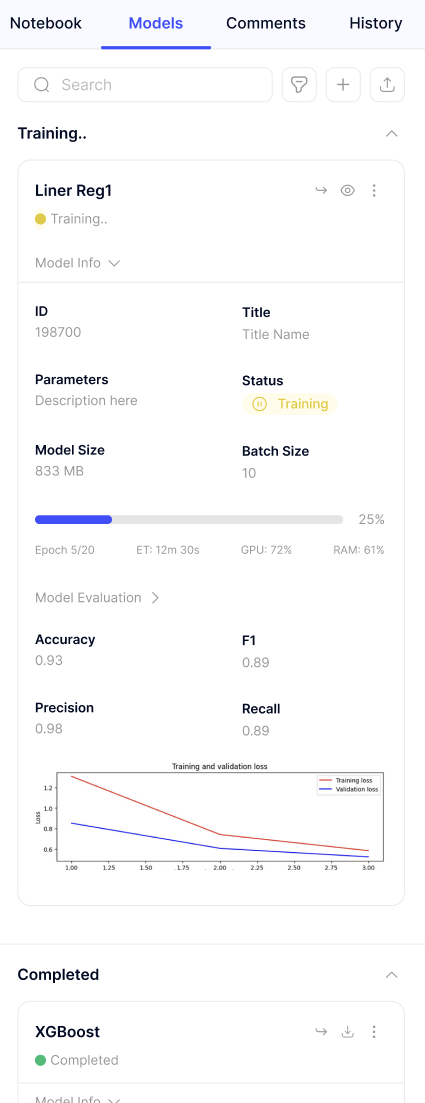
TODO: This is just an example how we can inject an image to docs. There we should explain how our UI works.